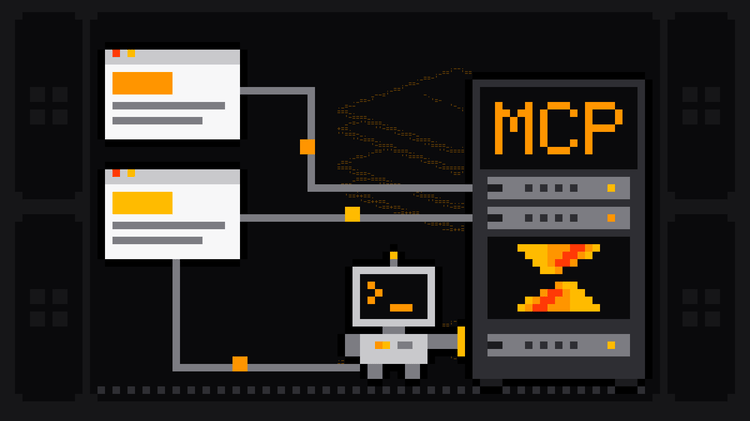
ChatGPT web scraping works in three ways in 2026: ChatGPT can search the web and summarize what it finds, it can write a scraper for you to run, and, connected to a scraping MCP server, it can run real scrapers in the cloud and hand you the data. Claude can do all three too. What neither can do is run a scraper against live websites from the code sandbox inside a normal chat on default settings.
This guide sorts out what works and what doesn't, using OpenAI's and Anthropic's own documentation as of 23 October 2026. You'll get a prompt and a scraper we tested against books.toscrape.com, the setup to connect ChatGPT, Codex, Claude and Claude Code to the Scrape.ly MCP server, and an example session with the exact tool calls the agent makes.
ChatGPT web scraping vs Claude: what each can do today
| Capability | ChatGPT | Claude | What it means for scraping |
|---|---|---|---|
| Search and read the web | Web search with cited sources, on every plan including Free | Web search; with it on, web fetch reads the full page at a URL you paste | Good for answers and summaries, not for datasets |
| Run code in the chat | A Python sandbox for data analysis that "cannot make external web requests or API calls" | A sandboxed container; Free, Pro and Max can turn on network egress in Settings → Capabilities | Writes and tests parsing code; in ChatGPT, it can't fetch the pages |
| Browse interactive sites | Agent mode is retired; ChatGPT Work has a cloud browser | Claude in Chrome, on Max and Team and rolling out to Pro | One task at a time, through a visible browser |
| Connect a custom MCP server | Plugins → Add custom MCP server on the web; full MCP on Business, Enterprise and Edu, read and fetch on Pro | Custom connectors on Free (one), Pro, Max, Team and Enterprise | Runs real scrapers and returns structured data |
| Coding agent on your machine | Codex CLI and the ChatGPT desktop app share one MCP config | Claude Code | Runs the scrapers it writes, with your network |
Sources: OpenAI's help articles on web search, data analysis, ChatGPT agent and custom MCP servers; Anthropic's articles on web search, code execution and custom connectors.
Can ChatGPT scrape websites?
For a handful of facts, yes. Ask "What are the current plans on this vendor's pricing page?" with search on, and ChatGPT can answer with a citation to the page. OpenAI's own help page warns that search results and citations "can be incomplete, outdated, or incorrect", so check the source when accuracy matters.
For a dataset, no. Search answers questions; it doesn't page through 500 listings and hand you a clean CSV with the same columns every time. The code sandbox can't help either: OpenAI states that the Python environment used for data analysis can't make external web requests, so a requests.get() it runs there fails. If the data is in a file you upload, ChatGPT will happily clean and analyze it.
Claude is similar. With web search on, Claude can also fetch a page you link and read it in full, which costs a lot of context for long pages. Its code sandbox can reach the web on Free, Pro and Max if you turn on network egress; on Team and Enterprise, organization owners decide, and Team's default is package managers only.
That leaves two routes that actually scale: have the model write a scraper you run, or connect it to a scraping service over MCP.
Route 1: ask ChatGPT or Claude to write a scraper
Code generation is where both models are strongest. The trick is a precise prompt: the URL, the fields with their types, pagination, politeness and the output format.
Write a Python script using requests and BeautifulSoup that scrapes every book
in the Mystery category of books.toscrape.com, starting at
https://books.toscrape.com/catalogue/category/books/mystery_3/index.html.
For each book get: title, price as a number in GBP, star rating as 1-5,
in stock as true/false, and the absolute product URL. Follow the "next" link
until there are no more pages, wait one second between requests, and save
the result to mystery_books.csv.
A good answer looks like the script below. We wrote and tested this version on 23 October 2026. Use it as the yardstick for whatever the model gives you, and check the details that are easy to get wrong: absolute URLs, numeric prices and the star rating, which this site hides in a CSS class.
import csv
import time
from urllib.parse import urljoin

import requests
from bs4 import BeautifulSoup

START_URL = "https://books.toscrape.com/catalogue/category/books/mystery_3/index.html"
RATINGS = {"One": 1, "Two": 2, "Three": 3, "Four": 4, "Five": 5}

session = requests.Session()
session.headers["User-Agent"] = "Mozilla/5.0 (compatible; books-demo/1.0)"


def parse_page(html, page_url):
    soup = BeautifulSoup(html, "html.parser")
    books = []
    for card in soup.select("article.product_pod"):
        link = card.select_one("h3 a")
        rating_class = card.select_one("p.star-rating")["class"]
        books.append({
            "title": link["title"],
            "price_gbp": float(card.select_one("p.price_color").text.strip().lstrip("£")),
            "rating": next((RATINGS[c] for c in rating_class if c in RATINGS), None),
            "in_stock": "In stock" in card.select_one("p.availability").text,
            "url": urljoin(page_url, link["href"]),
        })
    next_link = soup.select_one("li.next a")
    next_url = urljoin(page_url, next_link["href"]) if next_link else None
    return books, next_url


def scrape(start_url):
    url, rows = start_url, []
    while url:
        response = session.get(url, timeout=30)
        response.raise_for_status()
        response.encoding = "utf-8"
        books, url = parse_page(response.text, response.url)
        rows.extend(books)
        time.sleep(1)  # be polite: one request per second
    return rows


if __name__ == "__main__":
    rows = scrape(START_URL)
    with open("mystery_books.csv", "w", newline="", encoding="utf-8") as f:
        writer = csv.DictWriter(f, fieldnames=rows[0].keys())
        writer.writeheader()
        writer.writerows(rows)
    print(f"Saved {len(rows)} books to mystery_books.csv")
Run it with pip install requests beautifulsoup4 and python scrape_books.py. Ours printed Saved 32 books to mystery_books.csv after two pages, in about 4 seconds:
title,price_gbp,rating,in_stock,url
Sharp Objects,47.82,4,True,https://books.toscrape.com/catalogue/sharp-objects_997/index.html
"In a Dark, Dark Wood",19.63,1,True,https://books.toscrape.com/catalogue/in-a-dark-dark-wood_963/index.html
The Past Never Ends,56.5,4,True,https://books.toscrape.com/catalogue/the-past-never-ends_942/index.html
Tips that make the generated code work on the first try:
- Paste a snippet of the real HTML. A model can't see the page unless it fetches it; one product card's HTML lets it pick the right selectors.
- Ask for the edge cases by name: pagination, missing fields, relative links, encoding, retries.
- Run it where it has network access. On your machine, or in a coding agent: Codex CLI and Claude Code run the script, read the error and fix it in a loop.
- Expect maintenance. When the site changes its HTML, the selectors break and you're back in the chat.
That last point is why generated scrapers suit practice sites and small one-off jobs. For Google Maps, Amazon, LinkedIn Jobs or anything that blocks bots, a maintained scraper is less work.
Route 2: connect ChatGPT or Claude to Scrape.ly over MCP
Connect the model to a scraping MCP server and it stops guessing: it finds a ready-made scraper, runs it in the cloud with proxies, and reads back structured rows. The Scrape.ly MCP server is hosted at https://api.scrape.ly/mcp and signs in with OAuth, so you never paste a key into a chat.
ChatGPT
On chatgpt.com, open Plugins, select +, choose Add custom MCP server, enter a name and the URL https://api.scrape.ly/mcp, set up OAuth sign-in, accept the risk warning and select Create as a plugin. Then type @ in a new chat and pick the plugin. Per OpenAI, custom MCP servers connect on the web only, full MCP support (including tools that take actions, such as starting a run) is for Business, Enterprise and Edu, and Pro users can connect them with read and fetch permissions.
Codex CLI and the ChatGPT desktop app
These share ~/.codex/config.toml, so one setup covers both. Two commands, the second opens the browser to sign in:
codex mcp add scrapely --url https://api.scrape.ly/mcp
codex mcp login scrapely
Claude and Claude Desktop
Go to Customize → Connectors, select Add, then Custom → Web, and enter https://api.scrape.ly/mcp; Claude signs you in with OAuth. On the Free plan this uses your one custom connector. On Team and Enterprise, an owner adds it under Organization settings → Connectors first.
Claude Code
claude mcp add --transport http scrapely https://api.scrape.ly/mcpRun /mcp inside Claude Code and choose scrapely to sign in. Cursor, VS Code, Windsurf and other clients are on the agents page and in the MCP docs.
An example session: the prompt and the tool calls
The prompt:
Use scrapely to search Google for "web scraping with python", read the top 3
pages as Markdown, and summarize each in two sentences. Spend at most $0.10.
The agent works through four tool calls. First it finds a fitting Actor:
{ "tool": "search-actors", "arguments": { "keywords": "google search markdown", "limit": 5 } }Then it reads the input schema and price of the RAG Web Browser, $1.50 per 1,000 Google results pages:
{ "tool": "fetch-actor-details", "arguments": { "actor": "querystone/rag-web-browser", "output": { "inputSchema": true, "pricing": true } } }Then it runs it, with your spending limit as maxTotalChargeUsd. This is the exact request from our run on 22 October 2026:
{
  "tool": "call-actor",
  "arguments": {
    "actor": "querystone/rag-web-browser",
    "input": { "query": "web scraping with python", "maxResults": 3, "scrapingTool": "raw-http", "outputFormats": ["markdown"] },
    "waitSecs": 45,
    "callOptions": { "maxTotalChargeUsd": 0.1 }
  }
}
The run finished in 7.8 seconds with status SUCCEEDED and 3 items. Last, the agent reads only the fields it needs:
{ "tool": "get-actor-output", "arguments": { "runId": "RUN_ID", "fields": "metadata.title,metadata.url,markdown" } }Back came a University of Texas library guide on scraping with Python (8,470 characters of Markdown), the Scrapy project's home page (9,343) and a Medium tutorial (12,761), each with title and URL, ready to summarize. The run cost $0.0039: $0.0015 for one Google results page, $0.0010 of compute and $0.0013 of residential proxy.
The same four calls reach every Actor in the Store. Ask for "50 coffee shops in Seattle with ratings and phone numbers" and the agent can run the Google Maps Scraper; ask for "the text of every page under docs.python.org/3/tutorial" and it can run the Website Content Crawler. For a comparison of scraping servers, see the best MCP servers for web scraping, and for the bigger picture of LLM extraction and agents, our guide to AI web scraping.
What to watch out for
- Search answers aren't data. Summaries can skip rows or mix sources. Use a scraper when you need every record.
- Runs cost money. MCP runs are normal paid runs. Give the agent a scoped API key with a daily charge limit and keep a
maxTotalChargeUsdon every call. - Prompt injection. Pages can contain text aimed at the model. Only connect servers you trust, and review actions before you approve them.
- Blocking. Scripts you run from home get blocked on protected sites. Scrape.ly Actors include proxies and a hosted anti-bot browser.
- Terms and privacy. Collect public data you need, follow each site's terms, and treat personal data under the GDPR and CCPA. Scrape.ly Store Actors collect publicly available data that any visitor sees.
FAQ
Can ChatGPT scrape websites?
It can search the web and summarize pages, and it can write scraper code. Its data-analysis sandbox can't make external web requests, so to collect a dataset you either run the code yourself or connect ChatGPT to a scraping MCP server such as Scrape.ly.
Can Claude scrape websites?
Claude can search the web, fetch pages you link, write scrapers and, with network egress turned on, run code that reaches the web. Connected to the Scrape.ly MCP server as a custom connector, it runs ready-made scrapers and returns structured results.
Is there a ChatGPT web scraping plugin?
You can add any remote MCP server under Plugins → Add custom MCP server. Add https://api.scrape.ly/mcp and ChatGPT can search and run 568 Scrape.ly Actors; full MCP support is on Business, Enterprise and Edu.
ChatGPT or Claude: which is better for web scraping?
Both write good scrapers. For running scrapers from chat, Claude's custom connectors work on every plan, including one on Free, while ChatGPT's full MCP support needs a Business, Enterprise or Edu workspace. For coding agents, Codex CLI and Claude Code both run the code they write and both connect to Scrape.ly.
Can ChatGPT scrape data into Excel?
It can turn data you upload into a spreadsheet. To get fresh data, run a scraper through MCP and export the dataset as CSV or Excel from Scrape.ly, or have the generated script write CSV as in the example above.
Is it legal to scrape websites with ChatGPT?
The same rules apply as to any scraping: public data, the site's terms, copyright and privacy law. Using an AI model to do it doesn't change what you're allowed to collect.