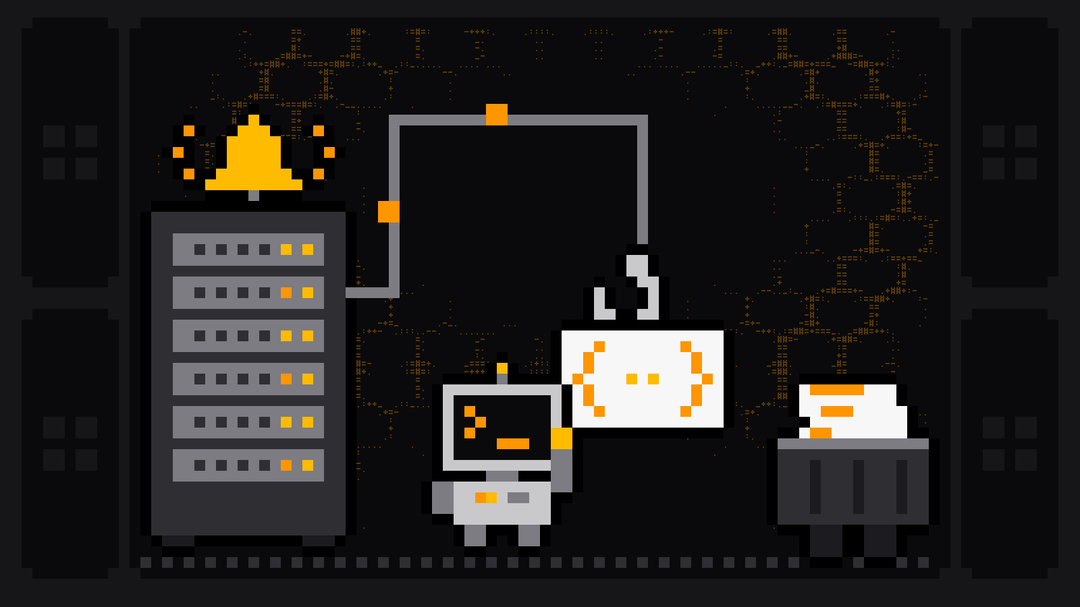
A web scraping webhook is an HTTP request the scraping platform sends to your URL when something happens to a run: it started, it succeeded, it failed. Instead of polling every few seconds to ask "is it done yet?", your system gets told, with the run ID and the dataset ID it needs to fetch the results. The same event can post a message to Slack, Discord or Telegram, or send an email, so the people who care hear about a failed scrape before a customer does.
This guide covers the events you can react to, setting up a webhook in the dashboard or through the API, the payload and how to customize it, delivery and retries, a tested Python receiver that verifies requests and ignores duplicates, one-off webhooks for a single run, and the built-in Slack, Discord, Telegram and email notifications.
Polling vs webhooks
With polling, your code starts a run and then asks for its status in a loop. It works for a script, and the API docs show it, but it ties up a process and adds delay. With a webhook, your code starts the run (or a schedule does) and moves on. When the run finishes, Scrape.ly calls your endpoint, and your endpoint fetches the results and hands them to the next step: a database load, a report, another scraper.
Webhooks matter most for scheduled scraping, where nobody is waiting on a script. Our guide to scheduling web scraping covers the scheduling side.
A webhook doesn't replace error handling. Keep a daily check that the runs you expected actually happened, because a schedule that never started sends no webhook at all.
Events you can react to
From the webhook docs:
| Event | Fires when |
|---|---|
ACTOR.RUN.CREATED | A run starts, however it was started: dashboard, API, task, schedule or automation |
ACTOR.RUN.SUCCEEDED | A run finishes successfully |
ACTOR.RUN.FAILED | A run fails |
ACTOR.RUN.ABORTED | A run is aborted |
ACTOR.RUN.TIMED_OUT | A run reaches its timeout |
ACTOR.RUN.RESURRECTED | A finished run is resurrected |
ACTOR.BUILD.* | Builds of your own Actors are created, succeed, fail, abort or time out |
TEST | You send a test |
Run events fire for your own runs, including runs of other people's Actors from the Store. A webhook can be limited to one Actor, one saved task or one run; without a condition, it fires for every matching event in your account.
Set up a webhook in the dashboard
A webhook is an automation. Open Automations (or an Actor's Automations tab), click New automation and pick Call a webhook when a run finishes. Then set:
- When: the Actor, one of its saved inputs, or every run, and the events.
- Then: the URL, an optional payload template and headers template, and the options Ignore SSL errors, Interpolate variables in string fields and Do not retry on failure.
Send a test from the automation's page, and use its delivery history to see each request's status code and response.
Create a webhook with the API
The same thing over HTTP, limited to one Actor and two events:
curl -X POST "https://api.scrape.ly/v2/webhooks" \
  -H "Authorization: Bearer $SCRAPELY_TOKEN" \
  -H "Content-Type: application/json" \
  -d '{
    "eventTypes": ["ACTOR.RUN.SUCCEEDED", "ACTOR.RUN.FAILED"],
    "condition": {"actorId": "ACTOR_ID"},
    "requestUrl": "https://example.com/hooks/scrapely",
    "headersTemplate": "{\"X-Webhook-Token\": \"a-long-random-string\"}",
    "description": "Load Redfin listings into the warehouse"
  }'
eventTypes and requestUrl are required. The URL must be reachable from the internet; private and local addresses are rejected. Plans allow 100 webhooks by default. Test it with POST https://api.scrape.ly/v2/webhooks/WEBHOOK_ID/test and read past deliveries with GET https://api.scrape.ly/v2/webhooks/WEBHOOK_ID/dispatches. The Webhooks API reference lists every field.
The payload
By default the request body looks like this, shown here with the IDs of a real Redfin Scraper run from 27 October 2026 (from our Redfin tutorial):
{
  "userId": "USER_ID",
  "createdAt": "2026-10-27T17:17:53.000Z",
  "eventType": "ACTOR.RUN.SUCCEEDED",
  "eventData": {
    "actorId": "7e95321861da412c9",
    "actorTaskId": null,
    "actorRunId": "d0b0f2a2207646b5b",
    "status": "SUCCEEDED",
    "startedAt": "2026-10-27T17:17:28.000Z",
    "finishedAt": "2026-10-27T17:17:53.000Z",
    "durationMillis": 25000,
    "defaultDatasetId": "3891e9d0-58e7-4f80-88d9-71170765dd12",
    "exitCode": 0
  },
  "resource": { "...": "the same fields as eventData" }
}
defaultDatasetId is the one you need: fetch https://api.scrape.ly/v2/actor-runs/RUN_ID/dataset/items?format=json with RUN_ID set to actorRunId, or read the dataset by its ID, and you have the results.
Customize the payload
A payload template replaces the default body. Variables outside quotes become their JSON values:
{
  "text": "Scrape finished",
  "runId": {{actorRunId}},
  "status": {{status}},
  "datasetId": {{resource.defaultDatasetId}},
  "durationMillis": {{durationMillis}}
}
You can use {{eventType}}, {{eventData}}, {{resource}}, any dotted path such as {{resource.defaultDatasetId}}, and shortcuts like {{actorRunId}}, {{status}} and {{defaultDatasetId}}, which are always sent as strings (use {{eventData.exitCode}} when you need a number). Inside a longer string, a variable is inserted as plain text: "Run {{actorRunId}} done". That's how you point a webhook at a Slack incoming-webhook URL or any API that expects its own JSON shape.
Delivery, retries and duplicates
The delivery rules, from the docs:
- Every request carries
Content-Type: application/json,User-Agent: Scrapely-Webhook/1.0and anX-Scrapely-Webhook-Dispatch-Idheader that stays the same across retries of one delivery. - Your endpoint has 30 seconds to respond. Redirects are not followed.
- Network errors, timeouts,
5xxand429responses are retried up to 5 times, after 1, 2, 4, 8 and 16 seconds. Other4xxresponses are not retried, anddoNotRetryturns retries off. - Up to 500 recent deliveries are kept per webhook, each with its status code and response.
Two consequences for your receiver: answer quickly and do the heavy work afterwards, and expect the same delivery more than once, which the dispatch ID lets you ignore.
A webhook receiver in Python
This receiver uses only Python's standard library. It checks a shared secret header (set in the webhook's headers template), answers at once, and skips deliveries it has already seen:
import json
import os
from http.server import BaseHTTPRequestHandler, HTTPServer

SECRET = os.environ["WEBHOOK_TOKEN"]
seen = set()  # use a database or Redis in production


class Hook(BaseHTTPRequestHandler):
    def do_POST(self):
        if self.headers.get("X-Webhook-Token") != SECRET:
            self.send_response(401); self.end_headers(); return
        dispatch_id = self.headers.get("X-Scrapely-Webhook-Dispatch-Id")
        body = json.loads(self.rfile.read(int(self.headers["Content-Length"])))
        self.send_response(200); self.end_headers()  # answer fast, work afterwards
        if dispatch_id in seen:
            return
        seen.add(dispatch_id)
        data = body["eventData"]
        print(body["eventType"], data["actorRunId"], data["status"], "dataset", data["defaultDatasetId"], flush=True)


HTTPServer(("", 8080), Hook).serve_forever()
We tested it on 27 October 2026 with Python 3.14 by posting the payload above twice with the same dispatch ID, then once with a wrong token. The three responses were 200 200 401, and the receiver processed the delivery once:
ACTOR.RUN.SUCCEEDED d0b0f2a2207646b5b SUCCEEDED dataset 3891e9d0-58e7-4f80-88d9-71170765dd12In production, replace the print with a job that reads the dataset with the Python client (client.dataset(dataset_id).iterate_items()) and loads it where it needs to go. Run the receiver behind HTTPS on a public host; serverless functions work well because each delivery is a short request.
A webhook for one run only
When your code starts a run and wants to hear about that run only, attach an ad-hoc webhook. It's created for the run and deleted after it fires once. Pass it base64-encoded in the webhooks query parameter:
WEBHOOKS=$(echo -n '[{"eventTypes":["ACTOR.RUN.SUCCEEDED"],"requestUrl":"https://example.com/hook"}]' | base64)

curl -X POST "https://api.scrape.ly/v2/actors/roamandroof~redfin-scraper/runs?webhooks=$WEBHOOKS" \
  -H "Authorization: Bearer $SCRAPELY_TOKEN" \
  -H "Content-Type: application/json" \
  -d '{"searchKeywords": ["78704"], "searchMode": "sold", "maxItems": 200}'
You can also send a webhooks array in the JSON body. Inside your own Actor, Actor.add_webhook() in Python or Actor.addWebhook() in JavaScript registers one for the current run.
Slack, Discord, Telegram and email without code
For people rather than systems, Scrape.ly sends ready-made messages directly. Create an automation with Notify me on Slack when a run fails, Notify me on Telegram when a run fails or Email me the results, then pick the outcomes. Each message shows the Actor, status, duration, result count and cost, with links to the run and dataset, and can include up to five preview rows and your own text with variables like {{actorName}}, {{itemCount}} and {{cost}}. The option Only for runs with results skips successful runs that returned nothing.
- Slack: connect a workspace and channel under Settings → Connections.
- Discord: paste a channel webhook URL from the channel's Integrations settings.
- Telegram: use your own bot from @BotFather and pick the chat.
- Email: your account email works right away; other addresses confirm first.
Limits: at most 20 messages a minute per Slack, Discord or Telegram automation, and 30 emails an hour per email automation (100 a day per account). The Slack, Discord, Telegram and email docs have the details, and Zapier covers apps Scrape.ly doesn't reach directly.
Common webhook recipes for scraping
- Load results into a warehouse when
ACTOR.RUN.SUCCEEDEDfires, keyed on the dispatch ID so a retry doesn't load twice. - Alert on failure with a Slack automation on
FAILEDandTIMED_OUT, so a broken schedule gets noticed the same day. - Chain scrapers with the Start another actor after this one recipe, passing
{{resource.defaultDatasetId}}into the next Actor's input, for search-then-detail pipelines. - Refresh an AI index when a nightly crawl finishes; our LangChain web scraping guide shows the loader side.
- Watch reviews or prices and post only the changes; see review monitoring and price scraping.
FAQ
What is a webhook in web scraping?
An HTTP request the scraping platform sends to your URL when a run event happens, such as a run finishing. It carries the run's status and IDs, so your system can fetch the results without polling.
How do I get notified when a scraper finishes?
Create an automation for the Actor: Call a webhook when a run finishes for systems, or the Slack, Discord, Telegram or email recipes for people.
What happens if my endpoint is down?
Network errors, timeouts, 5xx and 429 responses are retried up to five times, after 1, 2, 4, 8 and 16 seconds. Every delivery is logged with its status code, so you can see what failed.
How do I verify that a webhook came from Scrape.ly?
Put a secret header such as X-Webhook-Token in the webhook's headers template and check it on your server, as the receiver above does.
Can a webhook start another scraper?
Yes. A webhook can call the Scrape.ly API to start a run, and the Start another actor after this one recipe does it without code, with values from the finished run.