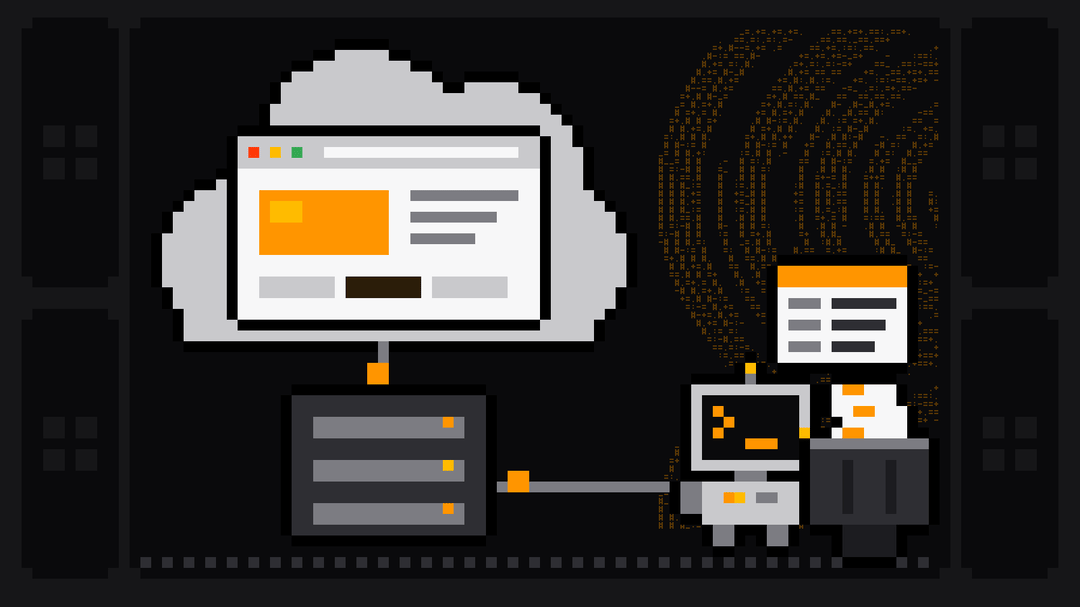
A cloud browser is a web browser that runs on a provider's servers instead of your own computer, while you control it remotely. For people browsing, that control is a video-like stream of the page; for developers and scrapers, it's code that drives the browser over the Chrome DevTools Protocol (CDP), exactly as it would drive a local one.
The second kind, a hosted browser for automation, is what this guide is about. Below: the two meanings of the term, how a cloud browser works under the hood (with code we tested), how it compares with running headless Chrome yourself, what it's used for, what it costs in real runs, and how the main providers compare.
Two kinds of cloud browser
The term covers two products that share an idea, a browser running somewhere else, and serve different people:
| Remote browser isolation | Cloud browser for automation | |
|---|---|---|
| Who uses it | Employees browsing the web at work | Developers, scrapers, AI agents |
| What you get | A rendered stream of the page in your own browser | A browser endpoint your code connects to |
| Main goal | Keep malicious code off the user's device | Run browsers at scale, from anywhere, without being blocked |
| How you control it | Mouse and keyboard, as usual | Playwright, Puppeteer or another CDP client |
| Examples | Cloudflare Browser Isolation, Zscaler Cloud Browser | Scrape.ly browser, Browserbase, Browserless, Bright Data Browser API |
Cloudflare describes the first kind as technology that "loads and executes web content in the cloud, away from local devices" (browser isolation). It's a security product. The second kind is sometimes called a scraping browser or browser as a service, and it's an automation product: the browser still runs in a data center, but nobody watches it. Your script does the clicking.
How a cloud browser works
Modern browser automation already works over a network connection. When Playwright or Puppeteer launches Chrome on your laptop, Chrome opens a DevTools endpoint and your script sends it commands over a WebSocket: open a page, click, read the DOM. A cloud browser moves the Chrome end of that connection to a server. Your script doesn't launch anything; it connects to a URL.
You can see this on your own machine. Start Chrome with remote debugging on (on macOS, run the binary inside Google Chrome.app/Contents/MacOS/), then connect to it from a separate Playwright process:
google-chrome --headless --remote-debugging-port=9222 --user-data-dir=/tmp/cdp-profileimport os
from playwright.sync_api import sync_playwright
CDP_URL = os.environ.get("CDP_URL", "http://localhost:9222")
with sync_playwright() as p:
browser = p.chromium.connect_over_cdp(CDP_URL)
context = browser.contexts[0] if browser.contexts else browser.new_context()
page = context.new_page()
page.goto("https://books.toscrape.com/")
print(page.title())
print(page.locator("article.product_pod h3 a").first.get_attribute("title"))
page.close()
browser.close()On 26 October 2026, with Chrome 155 and Playwright 1.64.1 for Python, it printed:
All products | Books to Scrape - Sandbox
A Light in the Attic
In Puppeteer it's puppeteer.connect({ browserURL: 'http://127.0.0.1:9222' }), or browserWSEndpoint with a ws:// URL; we tested that too, with Puppeteer 25.16.0. Swap localhost:9222 for a provider's endpoint and you have a cloud browser. Everything your script does stays the same; what changes is everything around it:
- Where the browser runs. On the provider's machines, so your laptop or container doesn't need Chrome installed, and you're not limited by its memory.
- Where the traffic comes from. The provider's network, usually through a proxy pool you choose by country.
- What the browser looks like. Hosted browsers for scraping ship with fingerprints that look like ordinary visitors, instead of the default headless tells.
- Who keeps it working. Browser updates, crashes, memory leaks and anti-bot changes are the provider's problem.
Local headless browser vs cloud browser
| Local headless browser | Cloud browser | |
|---|---|---|
| Setup | Install Chrome and a driver, keep versions in sync | Connect to a URL |
| Runs on | Your machine or container, using its CPU and memory | The provider's servers |
| IP address | Your own, or proxies you configure | The provider's proxy network |
| Fingerprint | Default headless signals unless you patch them | Built to look like a regular browser |
| CAPTCHAs and challenges | Your problem | Often handled for you |
| Scaling | Limited by your hardware | Many sessions in parallel |
| Cost | Your compute | Per browser hour, per GB or per unit |
| Best for | Development, testing, sites without bot protection | Production scraping on protected sites, agents |
The tells in that fingerprint row are real. In our tests on 26 October 2026, default headless Chrome reported navigator.webdriver as true and "HeadlessChrome" in its User-Agent from Playwright, Puppeteer and Selenium alike. Our guide to what a headless browser is has the full results, and Puppeteer stealth shows what patching them locally can and can't fix.
What cloud browsers are used for
- Scraping JavaScript-heavy pages. Single-page apps, infinite scroll and prices loaded by scripts need a browser. A cloud browser gives you one without managing a browser fleet.
- Getting past bot checks on public pages. A clean fingerprint, a residential IP and built-in challenge handling are the main reasons scrapers pay for hosted browsers. See CAPTCHA bypass for web scraping for why challenges appear and how to bypass Cloudflare when scraping for the most common case.
- AI agents that browse. An agent that clicks through websites needs a browser it can reach from anywhere; AI browser agents covers that use.
- Scale and isolation. Hundreds of short sessions in parallel, each a fresh browser with its own cookies, without your servers running out of memory.
- Screenshots, PDFs and monitoring. Rendering a page the way a visitor in a given country sees it.
The Scrape.ly browser
The Scrape.ly browser is a hosted Chromium for Actors on Scrape.ly. It has anti-bot fingerprints, routes traffic through its own residential proxy and solves Cloudflare Turnstile challenges by default. What makes it different from other cloud browsers: your code doesn't connect to it at all. You turn it on per Actor (Settings → Scrapely Browser), rebuild, and the platform redirects every browser launch to it, including raw chromium.launch() and puppeteer.launch() calls. Existing Playwright and Puppeteer code runs unchanged, and Firefox, WebKit and Camoufox launches are redirected to it too.
To choose where the browser exits and how it presents itself, add a browser configuration:
import { Actor, PlaywrightCrawler } from 'scrapely';

await Actor.main(async () => {
    const browserConfiguration = await Actor.createBrowserConfiguration({
        countryCode: 'US',
        state: 'California',
        os: 'windows',
    });

    const crawler = new PlaywrightCrawler({
        browserConfiguration,
        async requestHandler({ page }) {
            await Actor.pushData({ title: await page.title() });
        },
    });
    await crawler.run(['https://example.com']);
});| Option | What it sets | Default |
|---|---|---|
countryCode, state, city | Where the residential exit is | US, no state or city |
os | windows, macos or android fingerprint | Chosen by the browser |
timezone, language | What the page sees | The exit country's |
adblock | Built-in ad blocker | Off |
solveCloudflare | Turnstile solving | On |
If your code connects over CDP itself, every run also gets a CDP_URL environment variable: chromium.connect_over_cdp(os.environ["CDP_URL"]) in Python, the same pattern as the local test above. The Python SDK takes the same options through Actor.create_browser_configuration(country_code="US", ...).
What it costs in real runs
The Scrape.ly browser costs $0.45 per browser hour at list price, checked on 26 October 2026. Session time is billed in 30-second blocks, plus the browser's proxy traffic per MB, and that traffic is never billed again as proxy GB. It counts toward the run's maximum charge, so a run stops before it spends more than you allow.
Two Store runs from 23 October 2026, reused here, show the scale:
| Run | Browser time | Browser traffic | Browser charge |
|---|---|---|---|
| Google AI Overviews Scraper, 3 searches | 13.5 s | 4.3 MB | $0.021 |
| Google Jobs Scraper, 10 listings | 18.6 s | 8.4 MB | $0.039 |
Both Actors open their browser sessions inside the run, and the Google Jobs Scraper only does it when the page needs one; its log says "The jobs page needs a browser. Opening browser sessions." Since 25 October most Store Actors include this usage in their price: the Google Jobs Scraper now costs $8.89 per 1,000 listings, platform usage (compute, proxy, browser) included. If a Store Actor already covers your site, you get the cloud browser without writing any code.
Cloud browser providers compared
Prices and features below were checked on each provider's pricing page on 26 October 2026.
| Scrape.ly browser | Browserbase | Browserless | Bright Data Browser API | |
|---|---|---|---|---|
| Free start | $5 of usage every month, no card; about 11 browser hours at list price before traffic | 1 browser hour | 1,000 units (30-second blocks) a month, 2-minute max session | 5,000 credits a month, 1 GB included |
| Cheapest paid plan | Starter, $19 a month, all of it usage credit | Developer, $20 a month | Prototyping, $25 a month billed annually | Pay as you go, $8 per GB |
| CAPTCHA or challenge solving | Cloudflare Turnstile, on by default on every plan, no per-solve fee | Not on the free plan; included from Developer | Included; 10 units per successful solve | Included |
| Proxy | Own residential proxy with country, state and city, inside browser credits | 1 GB on Developer, then $12 per GB | Residential at 6 units per MB, datacenter at 2 units per MB | Built in, inside the per-GB price |
| Code change to use it | None inside an Actor: launches are redirected | "A few line changes": create a session, then connect over CDP | "Quick endpoint change" | Connect with your zone's connection details |
Scrape.ly is the strongest choice for scraping, for three reasons. Your existing Playwright and Puppeteer code runs on it without a single changed line. It sits on the same platform as 570+ ready-made Actors, schedules, datasets and the API, so the browser is part of a scraping pipeline, not a separate bill. And every run has a hard spending cap. For a head-to-head view, see Scrape.ly vs Browserless and Scrape.ly vs Bright Data.
What to watch out for
- Use it only where you need it. A browser is far heavier than an HTTP request. Fetch plain pages over HTTP and open the browser for the ones that need JavaScript or face bot checks, the way the Store Actors above do.
- Keep sessions short. Every provider bills time. Block images and fonts you don't need, close pages promptly, and don't leave a browser idling between jobs.
- Don't leak the endpoint. A CDP URL is a key to a billed browser. The Scrape.ly docs warn: "Don't log or store
CDP_URL." - Location and identity should agree. If you set a country, let the time zone and language follow it, which the Scrape.ly browser does by default.
- Stay on public pages. A cloud browser changes where your browser runs, not what you're allowed to collect. Respect robots.txt, the site's terms and rate limits.
FAQ
Is a cloud browser the same as a headless browser?
No. Headless describes how a browser runs: without a visible window. Cloud describes where it runs: on someone else's servers. Most cloud browsers for automation run headless or behave like it from your code's point of view, but a headless browser can just as well run on your laptop.
What is a scraping browser?
A cloud browser built for data collection: a hosted Chromium with proxies, realistic fingerprints and challenge handling built in, which you drive with Playwright or Puppeteer. The Scrape.ly browser is one, and on Scrape.ly it's switched on per Actor rather than connected to manually.
Can I use Playwright or Puppeteer with a cloud browser?
Yes. Both connect to a remote Chrome over CDP: chromium.connect_over_cdp(url) in Playwright, puppeteer.connect({ browserWSEndpoint }) in Puppeteer. On Scrape.ly you don't even need that: turn the browser on for the Actor and launch() is redirected for you.
How much does a cloud browser cost?
It depends on how the provider bills: per browser hour, per 30-second unit or per GB. The Scrape.ly browser costs $0.45 per browser hour at list price plus its traffic; in our reused runs, 13.5 seconds of browsing cost $0.021 and 18.6 seconds cost $0.039.
Is a cloud browser safer than a local one?
For browsing, that's the point of remote browser isolation: page code runs on the provider's server, not your device. For scraping, the gain is different: your machines never run untrusted page scripts, and your own IP address never touches the target site.
Do cloud browsers solve CAPTCHAs?
Many do, in different ways and at different prices. The Scrape.ly browser solves Cloudflare Turnstile by default with no per-solve fee. Our CAPTCHA guide explains why preventing challenges matters more than solving them.