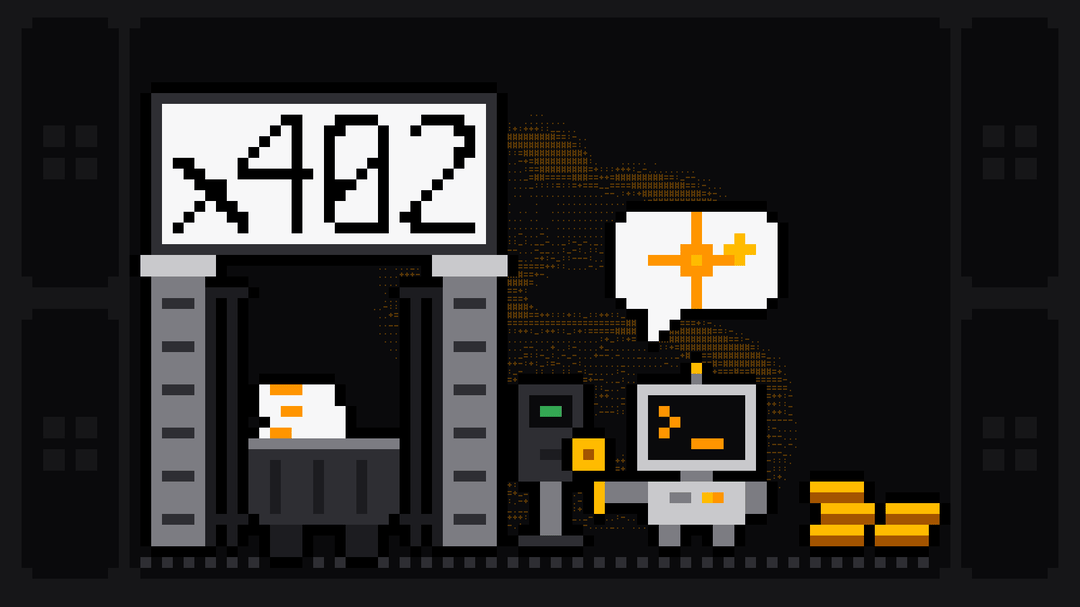
x402 is an open payment standard that lets a client pay for an HTTP request inside the request itself: the server answers 402 Payment Required with a price, the client signs a stablecoin payment and sends the same request again. Because x402 needs no account, no checkout page and no API key, it's built for AI agents that discover a paid service mid-task and need to pay for one call.
Scrape.ly supports x402 on its API and its MCP server. An agent with a wallet holding USDC on Base can run scrapers from the Scrape.ly Store, which has 570+ of them and lets agents use them by default, without signing up first. This guide explains the protocol from its primary sources, then shows the exact flow against the live API, with code we tested on 27 October 2026.
x402 at a glance
The x402 site frames it as a replacement for the usual API onboarding. Here's the comparison, based on the steps it lists:
| The usual API model | x402 | |
|---|---|---|
| Getting access | Create an account with the provider | Send the request; the server answers 402 with a price |
| Paying | Add a payment method, often with KYC checks, then buy credits or a subscription | The client signs a stablecoin payment for that request |
| Credentials | Store and rotate an API key | No key; the signed payment identifies the payer |
| Protocol fees | Depends on the provider | None in the standard; network fees only |
The x402 site puts the agent version in three steps: the "AI agent sends HTTP request and receives 402: Payment Required", the "AI agent pays instantly with stablecoins", and "API access granted". It also says x402 is "free for the customer and the merchant—just pay nominal payment network fees."
How the x402 protocol works
HTTP has long reserved a 402 status code with nothing standard behind it. MDN still calls 402 Payment Required "a nonstandard response status code reserved for future use" that "was created to enable digital cash or (micro) payment systems." x402 gives it a defined meaning. Coinbase's How x402 works puts it in one line: "the server quotes a price in its response, the client pays, and the same interaction completes with the resource."
The flow, per the x402 docs and the HTTP transport spec:
- The client requests a resource.
- The server answers
402 Payment Requiredwith aPAYMENT-REQUIREDheader: base64 JSON listing the accepted ways to pay (scheme, network, asset, amount, receiving address). - The client picks one, signs a payment payload and repeats the request with a
PAYMENT-SIGNATUREheader. - The server verifies the payment, on its own or through a facilitator, does the work and settles the payment.
- The server returns the resource, with settlement details in a
PAYMENT-RESPONSEheader.
| Header | Direction | Holds |
|---|---|---|
PAYMENT-REQUIRED | Server to client | Base64 JSON: what the server accepts |
PAYMENT-SIGNATURE | Client to server | Base64 JSON: the signed payment |
PAYMENT-RESPONSE | Server to client | Base64 JSON: the settlement result |
A facilitator is a service that checks and settles payments so the server doesn't need its own blockchain connection. The x402 docs are explicit that "the facilitator does not hold funds or act as a custodian." Coinbase runs one, and its docs list networks such as Base, Polygon, Arbitrum and Solana.
Three payment schemes exist. exact pays the quoted amount. upto lets the client authorize a maximum while the server settles only what was used. batch-settlement opens a payment channel and settles many requests at once. x402 also defines an MCP transport, where the payment travels in a tool call's _meta["x402/payment"] field instead of a header.
Who is behind x402
Coinbase created x402 and contributed it to the Linux Foundation. On July 14, 2026 the Foundation announced the operational launch of the x402 Foundation, "a new open-governance body formed to steward the x402 protocol." Its premier members include AWS, American Express, Circle, Cloudflare, Coinbase, Google, Mastercard, Shopify, Stripe and Visa. The code and specs live in the x402-foundation/x402 repository, with SDKs for TypeScript, Python and Go, and the docs call it "a completely open standard under the Apache-2.0 license."
Why x402 fits AI agents
An agent working through a task meets services it has never used. With API keys, every new provider means a human creating an account, adding a card and pasting a key into a config. With x402 the agent reads the price from the 402 response, decides, and pays from a wallet you gave it, within whatever balance that wallet holds.
That last part is the control. The wallet's balance is the agent's budget, each signed payment covers exactly one request, and nothing is charged to a card on file. On Scrape.ly there's a second check on top: every run sets its estimated cost aside from the wallet account's credit before it starts.
How Scrape.ly supports x402
Per the Scrape.ly x402 docs, agents "can pay for Scrape.ly API calls with USDC on Base using the x402 protocol instead of an API token." The agent "does not need a Scrape.ly account: one is created for the wallet on its first payment." The same payment requirements apply to every endpoint, so one flow covers starting runs, polling them and reading datasets; only account endpoints are excluded, as below.
Step 1: ask, and get a 402
Add one header, x-scrapely-payment-protocol: x402, and leave out the token. Here's a real request for five Google ads from the Google Ads Scraper:
curl -i -X POST "https://api.scrape.ly/v2/actors/querystone~google-ads-scraper/run-sync-get-dataset-items" \
  -H "Content-Type: application/json" \
  -H "x-scrapely-payment-protocol: x402" \
  -d '{"startUrls": [{"url": "https://adstransparency.google.com/?region=US&domain=duolingo.com"}], "resultsLimit": 5}'
On 27 October 2026 the API answered 402 with this body:
{"error":{"type":"payment-required","message":"Payment required. Provide a valid x402 payment in the PAYMENT-SIGNATURE header."}}and a payment-required header that decodes to:
{
  "x402Version": 2,
  "error": "X402 payment required",
  "resource": { "url": "https://api.scrape.ly" },
  "accepts": [
    {
      "scheme": "exact",
      "network": "eip155:8453",
      "amount": "1000000",
      "asset": "0x833589fCD6eDb6E08f4c7C32D4f71b54bdA02913",
      "payTo": "0x…",
      "maxTimeoutSeconds": 60,
      "extra": { "name": "USD Coin", "version": "2", "displaySymbol": "USDC" }
    }
  ]
}
eip155:8453 is Base, the asset is the USDC contract there, and the amount is in USDC base units with six decimals, so 1000000 is 1 USDC. Read these values from the response rather than hard-coding them; the docs say so too.
Step 2: sign and send the payment
The signature is an EIP-3009 TransferWithAuthorization for the USDC contract, and the official x402 libraries build it. Install them with npm install @x402/core @x402/evm viem:
import { x402Client } from '@x402/core/client';
import { registerExactEvmScheme } from '@x402/evm/exact/client';
import { toClientEvmSigner } from '@x402/evm';
import { privateKeyToAccount } from 'viem/accounts';
import { createPublicClient, http } from 'viem';
import { base } from 'viem/chains';

const account = privateKeyToAccount(process.env.WALLET_PRIVATE_KEY);
const client = registerExactEvmScheme(new x402Client(), {
  signer: toClientEvmSigner(account, createPublicClient({ chain: base, transport: http() })),
});

const url = 'https://api.scrape.ly/v2/actors/querystone~google-ads-scraper/run-sync-get-dataset-items';
const headers = { 'Content-Type': 'application/json', 'x-scrapely-payment-protocol': 'x402' };
const body = JSON.stringify({
  startUrls: [{ url: 'https://adstransparency.google.com/?region=US&domain=duolingo.com' }],
  resultsLimit: 5,
});

const unpaid = await fetch(url, { method: 'POST', headers, body });
const required = JSON.parse(atob(unpaid.headers.get('payment-required')));
const payment = await client.createPaymentPayload(required);

const res = await fetch(url, {
  method: 'POST',
  headers: { ...headers, 'PAYMENT-SIGNATURE': btoa(JSON.stringify(payment)) },
  body,
});
const ads = await res.json();
const session = res.headers.get('x-scrapely-x402-session');
We ran this with version 2.28.0 of the libraries and a fresh wallet up to the signed payment: it received the live 402, decoded the requirements and produced a valid authorization with a 64-hex-character nonce and a 60-second expiry. We didn't send it, because an empty wallet can't pay. Signing is free, and the docs add that "the wallet pays no gas: the payment is collected through an x402 facilitator."
Step 3: reuse the session
Each signed payment works for one request. Every authenticated response carries an x-scrapely-x402-session header; send it back with x-scrapely-payment-protocol: x402 and the request runs as the same wallet account for the next 10 minutes without a new payment. That's how an agent polls a longer run:
curl "https://api.scrape.ly/v2/actor-runs/RUN_ID?waitForFinish=60" \
  -H "x-scrapely-payment-protocol: x402" \
  -H "x-scrapely-x402-session: $SESSION"
Treat the session token like an API key: anyone who has it can spend the account's credit until it expires.
Through the MCP server
Agents that speak MCP connect to https://mcp.scrape.ly with the query ?payment=x402 and no token. Tools that call the API carry _meta.x402 with the payment requirements; the client passes the payment in the tool call's _meta["x402/payment"], and "one payment covers the whole tool call, including call-actor waiting for the run and reading its results." A call without a payment returns the requirements as an error result, so the client can sign and retry. The Scrape.ly MCP server page and the MCP docs cover the rest of the setup.
How credit works for a wallet
This part is worth reading twice, because it's kinder to agents than a naive pay-per-call setup:
- A payment adds credit only when the account needs it. The first payment from a wallet creates the account and is always collected. After that, the API collects a payment and adds it as credit only when the account's credit is low or a run was refused for insufficient credit. "While the account has enough credit, a signed payment only identifies the wallet and no funds move."
- Runs are charged from that credit at each Actor's Store price, and set their estimated cost aside before they start. If a run can't reserve enough, the API answers 402 and the agent signs a new payment to add more.
- Credit stays. Unused credit remains for later requests and, per the account docs, doesn't expire. Collected payments are not refunded.
- One wallet, one account. Later requests from the same wallet use the same account, so its runs and datasets stay together.
What to watch out for
- Keep the private key out of prompts. The signer reads
WALLET_PRIVATE_KEYfrom the environment. Give an agent a dedicated wallet holding only what it should spend. - Signatures are single-use. A reused one returns "This x402 payment has already been used." Sign a fresh payment per request, or use the session token.
- Account endpoints are off-limits to x402.
/v2/users/me/*, API keys, earnings, payouts and schedule changes return403 insufficient-permissionsbefore the payment is checked, so the signature isn't spent. Those need a user API key. - Actor owners can opt out. An Actor whose owner turned off
allowsAgenticUsersreturns403 agentic-users-not-allowedto x402 payments. The Store's agent format,/v2/store?responseFormat=agent, lists only Actors that allow agents. - Settlement can fail. If a needed payment can't be confirmed, the API says
Payment settlement failed, and usually no funds moved; the docs explain how to resend.
For teams with an account, a regular API token is still the better fit: scoped keys with daily charge limits under API keys, plus everything the account endpoints offer. x402 is for the agent that shows up without one.
Where to go next
The scrapers behave the same whichever way you pay. See the best MCP servers for web scraping for the wider MCP picture, AI browser agents for agents that browse, and TikTok MCP for a real agent run end to end.
FAQ
What is x402?
x402 is an open standard for paying for HTTP requests. A server answers 402 Payment Required with a price in the PAYMENT-REQUIRED header, and the client pays by repeating the request with a signed payment in PAYMENT-SIGNATURE. It's governed by the x402 Foundation at the Linux Foundation.
Is x402 a cryptocurrency?
No. x402 is a protocol, not a token. Payments use existing assets, most often the USDC stablecoin, on networks such as Base or Solana, and the standard is designed to be network-agnostic.
Who created the x402 protocol?
Coinbase developed x402 and contributed it to the Linux Foundation, which launched the x402 Foundation on July 14, 2026 to steward it under open governance. Its premier members include Cloudflare, Google, Stripe, Visa and Mastercard.
Does x402 charge fees?
The standard has no protocol fees; you pay the payment network's fees. On Scrape.ly the wallet pays no gas, because payments are collected through a facilitator, and runs cost each Actor's Store price.
How does an AI agent pay Scrape.ly with x402?
It sends a request with x-scrapely-payment-protocol: x402, reads the price from the 402 response, signs a USDC authorization on Base and repeats the request with PAYMENT-SIGNATURE. Through MCP, it connects with ?payment=x402 and passes the payment in the tool call's _meta.
Do I need a Scrape.ly account to use x402?
No. The first payment from a wallet creates an account for it, and later requests from that wallet use the same account and credit. If you already have an account, an API token gives you the account features x402 can't use.