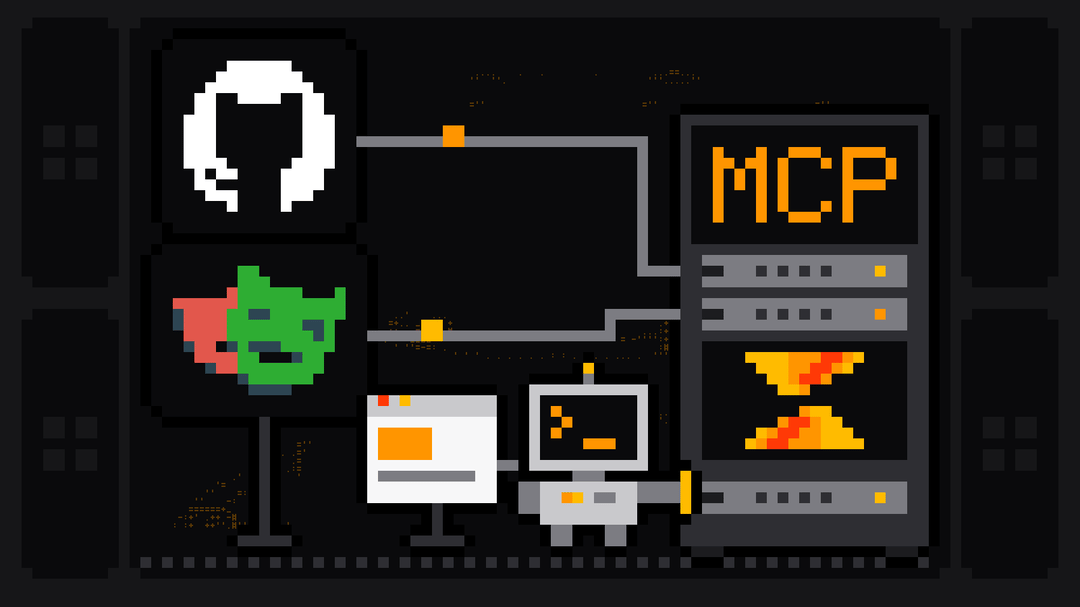
The best MCP servers in 2026 are Scrape.ly for web data, Context7 for library docs, the GitHub MCP Server for repositories, Playwright MCP and Chrome DevTools MCP for browsers, Sentry for errors and Supabase for databases, plus Firecrawl and Exa for page reads and search. Most developers run three to five of them: one for each kind of thing their agent needs to reach.
This list is grouped by job, not ranked on one scale, because a docs server and a database server don't compete. For each one we give the hosted URL or the install command, how it signs in, its main tools and the caveat its own README states. Every fact was read from the server's official README on 12 November 2026. Want the web scraping servers compared in depth? See the best MCP servers for web scraping.
The best MCP servers at a glance
| Server | Job | How it runs | Sign-in |
|---|---|---|---|
| Scrape.ly | Web data from any site, 620+ ready-made scrapers | Hosted: https://mcp.scrape.ly | OAuth or API token |
| Context7 | Up-to-date library docs | Hosted: https://mcp.context7.com/mcp | API key |
| GitHub MCP Server | Repos, issues, pull requests, Actions | Hosted: https://api.githubcopilot.com/mcp/ | OAuth or personal access token |
| Playwright MCP | Drive a browser by accessibility snapshot | Local: npx @playwright/mcp@latest | None |
| Chrome DevTools MCP | Inspect and debug a live Chrome | Local: npx -y chrome-devtools-mcp@latest | None |
| Sentry MCP | Errors, traces and issues | Hosted: https://mcp.sentry.dev/mcp | OAuth or token |
| Supabase MCP | Tables, config and queries | Hosted: https://mcp.supabase.com/mcp | Supabase login |
| Firecrawl MCP | Scrape and search single pages | Hosted: https://mcp.firecrawl.dev/v2/mcp | Keyless (rate-limited), OAuth or key |
| Exa MCP | Web search and page fetch | Hosted: https://mcp.exa.ai/mcp | Anonymous (rate-limited), OAuth or key |
| Filesystem, Fetch, Git, Memory, Sequential Thinking, Time | Reference servers from the MCP project | Local (stdio) | None |
What makes an MCP server worth installing
- It reaches something your agent can't. Live web data, your issue tracker, your database. A server that wraps what the model already knows adds tokens, not ability.
- Hosted when possible. A remote server over streamable HTTP needs no install and works the same in Claude Code, Cursor, VS Code and ChatGPT. Local stdio servers are fine for things on your machine, like files and browsers.
- OAuth sign-in. You approve access in a browser window instead of pasting keys into config files.
- A small, clear tool surface. Every tool's description lands in the context window. GitHub's server, for example, lets you load only the toolsets you need.
- Limits you can set. Read-only modes, scoped tokens and spending caps, because the agent will call tools you didn't think of.
Web data
1. Scrape.ly MCP: any website's data, with a cap on every run
The Scrape.ly MCP server gives your agent the whole Scrape.ly Store: 620+ ready-made scrapers for Google Search and Maps, Amazon, LinkedIn, YouTube, TikTok, Zillow, news sites and whole-site crawls. Instead of one tool per site, the agent works through a few generic ones: search-actors finds a scraper, fetch-actor-details reads its input schema, call-actor runs it and get-actor-output pages through the results.
It's hosted at https://mcp.scrape.ly and signs in with OAuth 2.1, or with a Bearer token for clients that can't do OAuth. Add it to Claude Code with one command:
claude mcp add --transport http scrapely https://mcp.scrape.lyThen run /mcp inside Claude Code and choose scrapely to sign in. Cursor, VS Code, Claude Desktop, ChatGPT and the rest are in the MCP docs.
We used it to research this article. On 12 November 2026 our agent called the Google Search Scraper through the Scrape.ly MCP server with five queries, including "best mcp servers", and got Google's top 10 for each back as JSON: 46 organic results and the People Also Ask questions, in 4 seconds. That's five results pages at a price from $0.00303 each, platform usage included. What it saw on page one for "best mcp servers": directories (mcpservers.org, a GitHub "best-of" list), a Reddit thread and listicles naming Context7, GitHub and Playwright first, which is why those three follow below.
What makes it safe to hand to an agent:
- A dollar cap per run.
call-actortakesmaxTotalChargeUsd, so no single run can cost more than you set. - Scoped API keys with only the permissions the agent needs, and a daily charge limit.
- Results that fit the context. Output comes in pages with
hasMoreandnextOffset, so a 10,000-row dataset never lands in the context at once.
Scrapely (scrape.ly) starts free: the Free plan includes $5 of usage every month, with no card.
Best for: any agent that needs real data from the web, from many different sites, behind one sign-in.
2. Firecrawl MCP: single pages as Markdown
Firecrawl's server scrapes, searches and parses pages and returns Markdown or structured data. Its hosted endpoint https://mcp.firecrawl.dev/v2/mcp works without a key for three tools (firecrawl_scrape, firecrawl_search and firecrawl_parse); the README calls this the "keyless free tier" and says it is rate-limited. Crawl, map and agent tools need a key, and the full profile has 31 tools. Locally it runs with npx -y firecrawl-mcp and a FIRECRAWL_API_KEY.
Best for: turning a known URL into clean Markdown for the model.
3. Exa MCP: web search built for agents
Exa's server does web search, page fetching and multi-step research. It's hosted at https://mcp.exa.ai/mcp, and the README says it "works anonymously with rate limits"; OAuth or an API key lift them. The default tools are web_search_exa and web_fetch_exa, with web_search_advanced_exa and agent_run as options.
Best for: open-ended search where you don't know the URLs yet. For more search options, see web search MCP servers.
Documentation
4. Context7: current docs for the libraries you use
Context7, from Upstash, pulls up-to-date, version-specific documentation and code examples into your coding agent, so it stops writing code against an API that changed two versions ago. It has two tools: resolve-library-id finds the library, query-docs fetches the relevant docs.
The hosted server is https://mcp.context7.com/mcp with your API key in an Authorization: Bearer header; npx ctx7 setup signs you in with OAuth, creates the key and sets up a skill that calls Context7 for library questions. The README is candid that Context7 can't guarantee the accuracy or security of the docs it serves, since they come from each library.
Best for: coding agents working with fast-moving frameworks.
Code and repositories
5. GitHub MCP Server
GitHub's official server connects your agent to repositories, issues, pull requests and Actions. The remote version is hosted by GitHub at https://api.githubcopilot.com/mcp/ and signs in with OAuth or a personal access token; the README calls it "the easiest method for getting up and running". A local version runs from the Docker image ghcr.io/github/github-mcp-server.
It's large: the README lists about 90 tools, grouped into toolsets, and loads only context, repos, issues, pull requests and users by default. Two settings matter before you give it to an autonomous agent: --read-only, and a personal access token with the minimum scopes. The README describes its lockdown mode as a best-effort prompt-injection filter, "not an authorization boundary".
Note that the old GitHub server in the modelcontextprotocol/servers repository is archived. Use this one.
Best for: agents that read code, open issues and review pull requests.
Browsers
6. Playwright MCP
Microsoft's Playwright MCP lets the agent drive a real browser using structured accessibility snapshots instead of screenshots; the README calls it "fast and lightweight" and says it avoids the ambiguity of screenshot-based approaches. It runs locally with npx @playwright/mcp@latest (Node.js 18 or newer), or over HTTP on a port you choose. The core automation set has 24 tools such as navigate, click, type and snapshot, and more groups can be switched on with --caps.
The README is direct about the risk: the server is "not a security boundary", and its browser_run_code_unsafe tool is "RCE-equivalent". Run it where you'd run any code the agent writes.
Best for: testing your own web app, filling forms and step-by-step browser tasks.
7. Chrome DevTools MCP
Google's Chrome DevTools MCP lets a coding agent control and inspect a live Chrome: record performance traces, analyze network requests, take screenshots and read console messages with source-mapped stack traces. It runs with npx -y chrome-devtools-mcp@latest. Two defaults to know: it sends usage statistics to Google unless you pass --no-usage-statistics, and everything in the browser is exposed to the MCP client.
Best for: debugging front-end performance and errors with an agent.
A browser server and a web data server do different jobs. Playwright or DevTools let the agent click through one site, a step at a time, on your machine. For data from many pages or many sites, a hosted scraper returns the rows directly. Our Playwright MCP guide covers where each fits.
Errors and monitoring
8. Sentry MCP
Sentry's server connects the agent to your Sentry errors, traces, logs and issues, so you can ask "why is this endpoint failing?" and have it read the stack traces. It's hosted at https://mcp.sentry.dev/mcp with OAuth, or runs locally with claude mcp add sentry -- sentry mcp after sentry auth login. Its natural-language search tools (search_errors, search_issues and the others) need an LLM provider key of your own.
Best for: fixing production bugs from inside the editor.
Databases
9. Supabase MCP
The Supabase server lets an agent manage tables, fetch project config and query data. It's hosted at https://mcp.supabase.com/mcp, and your client prompts you to log in to Supabase when you add it. The README asks you to read its security best practices first and offers a read_only=true mode, which is where we'd start.
Best for: building on Supabase, where the agent writes migrations and checks data.
The reference servers (10 to 12 and more)
The Model Context Protocol project maintains seven reference servers. They run locally over stdio and are small enough to read in an afternoon:
| Server | What it does | Run it with |
|---|---|---|
| Filesystem | File operations with access controls | npx -y @modelcontextprotocol/server-filesystem /path |
| Fetch | Fetches a URL and converts it for the model | uvx mcp-server-fetch |
| Git | Reads, searches and changes Git repositories | uvx mcp-server-git |
| Memory | A knowledge graph the agent keeps between chats | npx -y @modelcontextprotocol/server-memory |
| Sequential Thinking | Step-by-step reasoning through thought sequences | See the repository |
| Time | Time and time zone conversion | See the repository |
| Everything | A test server with prompts, resources and tools | See the repository |
The project says plainly that these are examples, "not as production-ready solutions". Thirteen older ones are archived, among them Brave Search, GitHub, Google Maps, PostgreSQL, Puppeteer, Sentry and Slack. If a tutorial installs one of those, look for the maintained version instead: GitHub and Sentry now run their own (above), and Brave Search moved to @brave/brave-search-mcp-server.
How to pick your set
Start from what your agent keeps failing at:
- It invents API calls. Add Context7.
- It can't see your issues or pull requests. Add the GitHub MCP Server.
- It needs facts from the web: prices, listings, reviews, rankings. Add Scrape.ly, and Exa or Firecrawl if you also want quick single-page reads.
- It has to check your own UI. Add Playwright MCP or Chrome DevTools MCP.
- It's fixing production bugs. Add Sentry, and Supabase if that's your database.
Keep the list short. Each server's tool descriptions use context on every request, and a dozen idle servers make the model slower at picking the right tool. Turn servers off per project when you don't need them.
FAQ
What are the best MCP servers?
Scrape.ly for web data, Context7 for docs, the GitHub MCP Server for code, Playwright MCP and Chrome DevTools MCP for browsers, Sentry for errors and Supabase for databases. Firecrawl and Exa are good additions for single-page reads and search.
Which MCP servers are the most powerful?
The ones that reach the most real systems. The GitHub MCP Server has about 90 tools across repositories, issues, pull requests and Actions. Scrape.ly gives an agent 620+ ready-made scrapers through a handful of tools, so one server covers most sites an agent needs data from.
Are MCP servers free?
The software usually is. The reference servers, Playwright MCP and Chrome DevTools MCP are free to run locally. Hosted servers vary: Firecrawl and Exa allow rate-limited use without a key, and Scrape.ly's Free plan includes $5 of usage every month with no card.
What's the difference between a local and a remote MCP server?
A local server runs on your machine over stdio, started by your client. A remote server runs on the provider's infrastructure and your client connects over streamable HTTP, usually with OAuth. Remote servers need nothing installed; local ones can reach your files and your browser.
Are MCP servers safe?
They're as safe as the permissions you give them. Use read-only modes where they exist (GitHub, Supabase), tokens with minimum scopes, and spending caps for anything that costs money per call, like Scrape.ly's per-run cap. Several READMEs on this list, including Playwright's and GitHub's, say outright that their protections are not a security boundary.
How many MCP servers should I install?
Three to five covers most work. Each server's tools are described in the model's context on every request, so more servers mean more tokens and more chances to pick the wrong tool.